How to Find Your Backflow Preventer Serial Number Quickly
Why Your Backflow Device Serial Number Matters
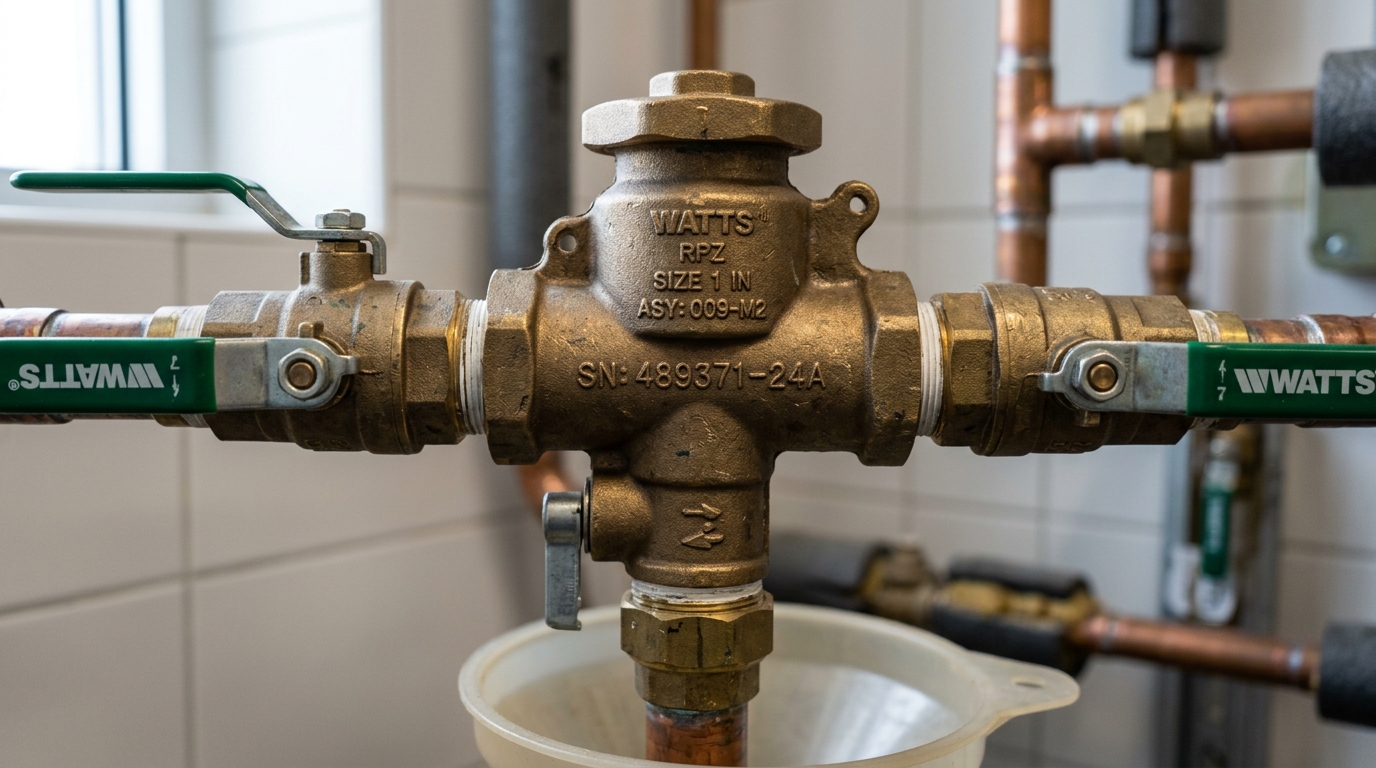
Every backflow prevention assembly installed on a water supply line carries a unique serial number. This number ties the device to its test history, warranty records, and compliance status with your local water utility. When a certified tester shows up for your annual backflow test, the first thing they do is locate and record that serial number. If they can't find it, the test report may be flagged as incomplete — and your utility may reject it.
Serial numbers also matter when you need replacement parts, want to verify the device was installed correctly, or need to file a warranty claim with the manufacturer. Knowing where to look and how to read the number saves time, prevents rejected test reports, and keeps your property in compliance.
Where to Find the Serial Number on Common Backflow Preventers
The serial number location depends on the manufacturer and the type of device. But across nearly all backflow prevention assemblies, the number is stamped, engraved, or printed on a metal tag attached to the body of the device.
Here are the most common locations by device type:
Reduced Pressure Zone (RPZ) Assemblies
RPZ devices are the workhorses of commercial backflow prevention. The serial number is almost always found on one of these locations:
- The main body casting, stamped directly into the bronze or stainless steel between the two check valves
- A metal tag riveted or wired to the body, usually near the first shutoff valve
- The relief valve body, though this is a secondary location and may carry a separate part number
On larger RPZ assemblies (2 inches and above), manufacturers like Watts, Wilkins (Zurn), and Febco typically cast the serial number into the top or side of the body. Look for a flat machined surface with stamped characters.
Double Check Valve Assemblies (DCVA)
Double check assemblies are simpler in design, and the serial number is usually in one of two places:
- Stamped on the body between the two test cocks
- On a metal identification tag attached near the inlet shutoff
Because DCVAs are often installed in vaults or below grade, the tag can corrode or become unreadable over time. If this happens, the stamped number on the casting itself is your backup.
Pressure Vacuum Breakers (PVB) and Spill-Resistant Vacuum Breakers (SVB)
PVBs and SVBs are commonly found on irrigation systems. The serial number is typically located:
- On the bonnet or top cap of the assembly
- On a small metal plate screwed or riveted to the body
- Stamped into the side of the brass body near the inlet
These devices are often exposed to weather, so the stamped numbers can become harder to read after several years of UV exposure and mineral buildup.
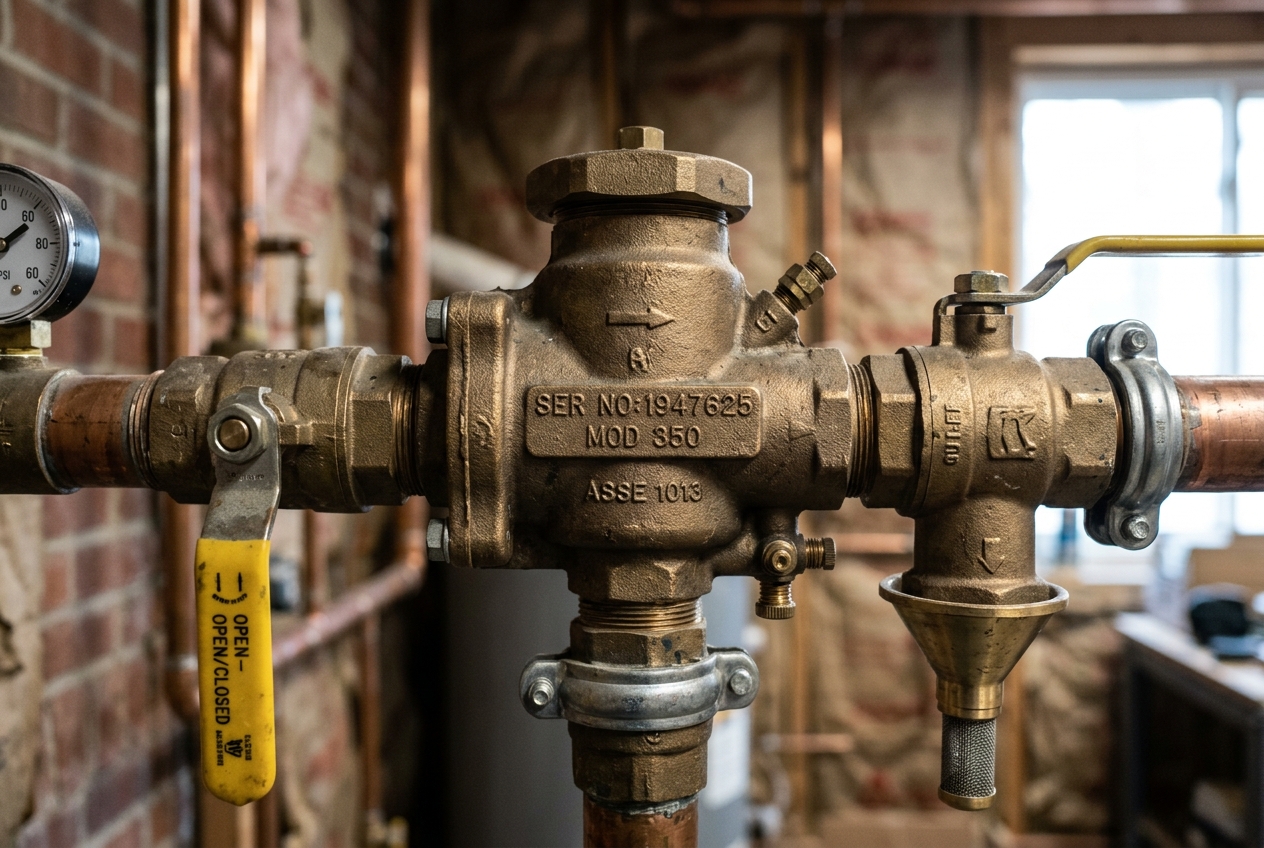 Close-up of a brass RPZ backflow preventer body showing a stamped serial number on the casting between two shutoff valves
Step-by-Step: Locating Your Serial Number in the Field
If you're a property manager or building owner trying to find the serial number before a scheduled test, follow these steps:
Step 1: Locate the device. Backflow preventers are installed where your water service enters the property or at the point of connection for irrigation, fire suppression, or cooling systems. Common locations include mechanical rooms, utility closets, meter boxes, underground vaults, and along exterior walls near the water meter.
Step 2: Identify the manufacturer. Look for a brand name cast into the body or printed on a label. Common manufacturers include Watts, Wilkins (now Zurn), Febco, Apollo, and Ames. Knowing the brand helps you narrow down exactly where the serial number will be.
Step 3: Check the body casting first. Most manufacturers stamp the serial number directly into the metal. Run your fingers along the flat surfaces of the body, especially between test cocks, near shutoff valves, and along the top. The number is often 6 to 10 digits and may include a letter prefix.
Step 4: Look for a metal ID tag. If you can't find a stamped number, look for a small plate or tag attached with screws, rivets, or wire. These tags usually list the manufacturer, model number, serial number, and size. The serial number is typically labeled "S/N" or "Serial No."
Step 5: Clean the surface. Corrosion, mineral deposits, paint, and insulation can obscure serial numbers. Use a wire brush, a rag with white vinegar, or a non-abrasive cleaner to clear the surface. For underground installations, you may need a flashlight and a mirror to read numbers in tight spaces.
Step 6: Photograph everything. Once you find the serial number, take a clear photo. This gives you a record you can share with your tester, your utility, or your plumber without having to go back to the device.
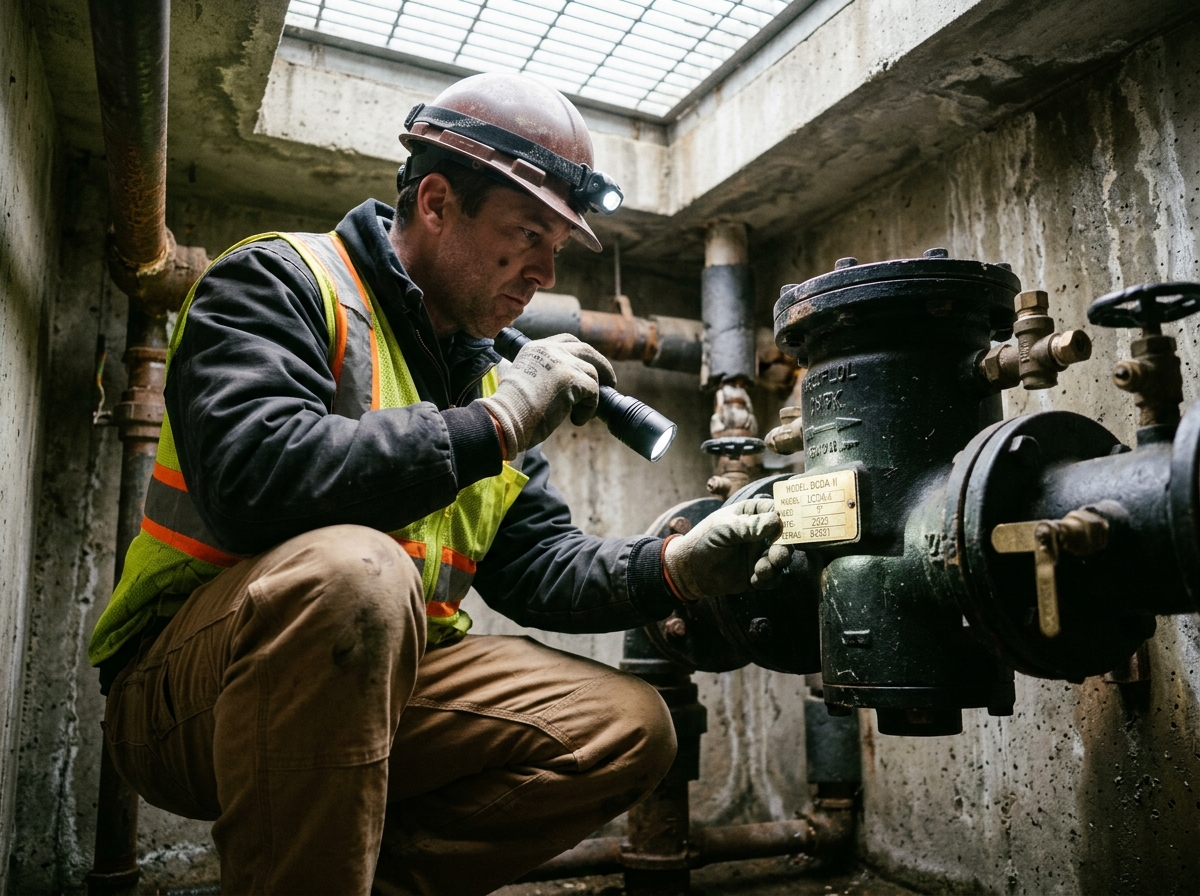 Property manager using a flashlight to inspect a backflow preventer identification tag inside an underground vault
Serial Number vs. Model Number: Don't Confuse Them
One of the most common mistakes property owners make is recording the model number instead of the serial number. These are two different things:
- Model number identifies the type and size of the device (e.g., Watts 009 2-inch, Wilkins 375 1-inch). Every device of that model shares the same model number.
- Serial number is unique to your specific device. No two assemblies share the same serial number.
On most backflow preventers, the model number is more prominently displayed — often cast in large characters on the body. The serial number is smaller and less obvious. If you see a number like "LF909QT" on your Watts device, that's the model. The serial number will be a separate string, often purely numeric or with a short letter prefix.
Your annual test report requires the serial number, not just the model. Utilities use the serial number to track test history for each individual device on file. If you submit the model number by mistake, the report will likely be returned for correction.
What to Do When the Serial Number Is Missing or Unreadable
Serial numbers wear away. It happens. Underground installations are especially prone to corrosion, and devices exposed to weather can have their tags deteriorate within a few years. Here's what to do:
Check all surfaces. The number may be stamped in a secondary location you haven't checked. Flip the device mentally — top, bottom, sides, and near every valve and test cock. Some manufacturers stamp the number in two places.
Contact the manufacturer. If you know the model and approximate installation date, the manufacturer may be able to help identify the device through production records. This works best when the original installer kept documentation.
Check prior test reports. If your device has been tested before, the serial number should be on the previous test report. Contact your water utility or your backflow testing company for copies. Many utilities maintain online portals where you can look up your property's backflow compliance history.
Ask your original installer or plumber. Plumbers who installed the device may have recorded the serial number on their invoice or permit application.
As a last resort, get a new tag. Some certified backflow testers can attach a new identification tag with a recorded serial number, but this requires coordination with your local water authority. The utility may require the device to be re-registered.
If the serial number truly cannot be recovered and the device cannot be positively identified, some jurisdictions will require replacement of the assembly. This is rare, but it underscores why recording the number early — and keeping a photo — matters.
Manufacturer-Specific Tips
Different manufacturers have their own quirks when it comes to serial number placement and formatting:
Watts — Serial numbers on Watts devices (including the popular 009 and LF909 series) are typically stamped on the bottom or side of the main body. Look for a 7- to 10-digit number. On newer models, a data plate on the side includes both model and serial.
Wilkins (Zurn) — Wilkins 375 and 975XL assemblies carry the serial number on a stainless steel tag attached near the inlet. The number format usually includes a letter prefix followed by digits. On older devices, check the side of the casting.
Febco — Febco 825Y and 860 series devices have the serial number stamped into the body near the test cocks. The number is often small and can be hard to read without cleaning the surface first.
Apollo — Apollo devices tend to use a metal tag attached with wire. These tags are durable but can swing to the underside of the device where they're easy to miss. Check underneath.
Ames — Similar to Watts (Ames is part of the Watts family), with serial numbers on the body casting or a riveted plate.
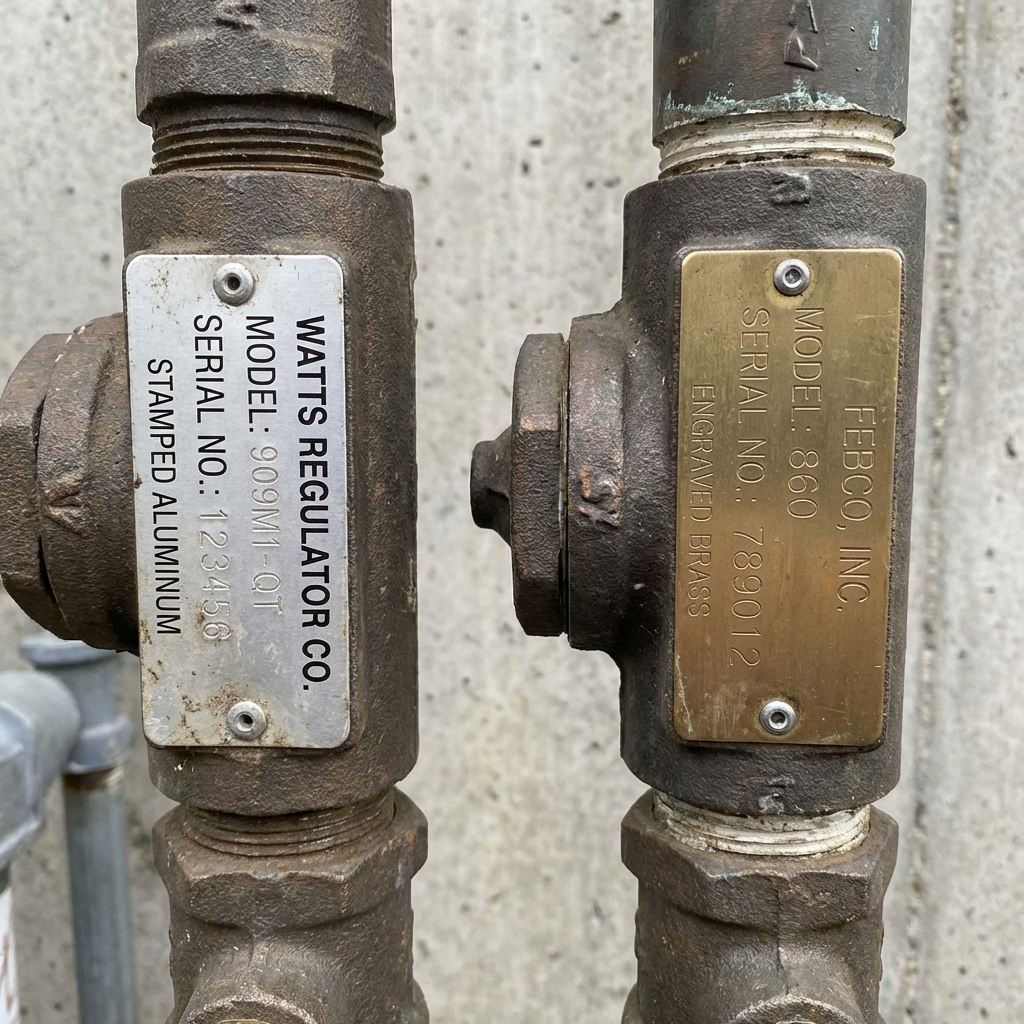 Side-by-side comparison of two different manufacturer metal identification tags on backflow prevention devices showing model and serial number labels
Keep a Record Before You Need One
The best time to record your backflow device serial number is the day it's installed. The second best time is right now. Here's a simple system that works:
- Photograph the serial number tag and body stamp with your phone. Make sure the image is sharp enough to read the characters.
- Save the photos in a labeled folder — include the property address, device location, and date.
- Record the serial number in a spreadsheet or property management system alongside the model number, size, manufacturer, installation date, and location on the property.
- Share the information with your backflow tester before each annual test. This speeds up the process and helps avoid errors on the test report.
For commercial properties with multiple devices, maintaining this inventory prevents confusion during inspections and keeps compliance records clean.
Next Steps
If your annual backflow test is coming up and you want to be prepared, locating and recording your serial number ahead of time is one of the most useful things you can do. It helps your tester complete an accurate report, keeps your utility records straight, and gives you documentation if you ever need warranty service or a replacement.
If you can't find the serial number or aren't sure which device on your property needs testing, a certified backflow tester can help identify and document everything during the inspection. Many testers offer pre-inspection walkthroughs for commercial properties with multiple assemblies.
Need to schedule a test or find a certified tester in your area? Use the search tools on FindBackflowTesters.com to connect with licensed professionals who can handle identification, testing, and reporting — so you stay compliant without the guesswork.